Row Counter for Chrome
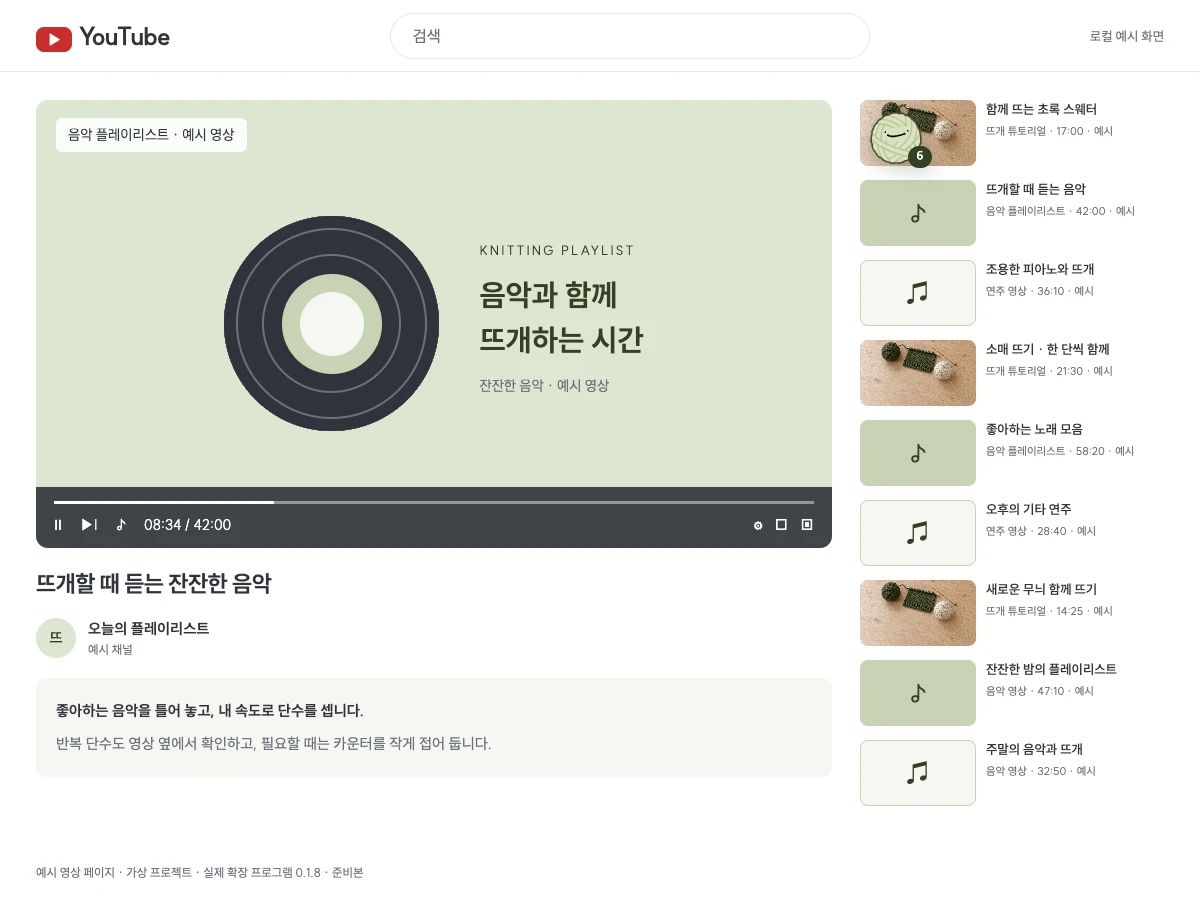
Count rows while following a YouTube knitting tutorial or watching a music video. You can keep the counter open while browsing Instagram, too. Your count carries over to the ssuessueknits app and web.
You can install it now from the Chrome Web Store. Sign in with the same account to continue on your phone.
This extension is for computer browsers. On your phone, use the app or web counter.
How to install
-
Use the button above to open the Chrome Web Store.
-
Click Add to Chrome, then Add extension in the confirmation dialog.
-
Sign in to ssuessueknits in the same browser. The counter appears at the bottom right of ordinary pages such as YouTube. Reload tabs that were already open. Pin it from the puzzle icon in the toolbar to find it easily.
Questions
Q. What can it do?
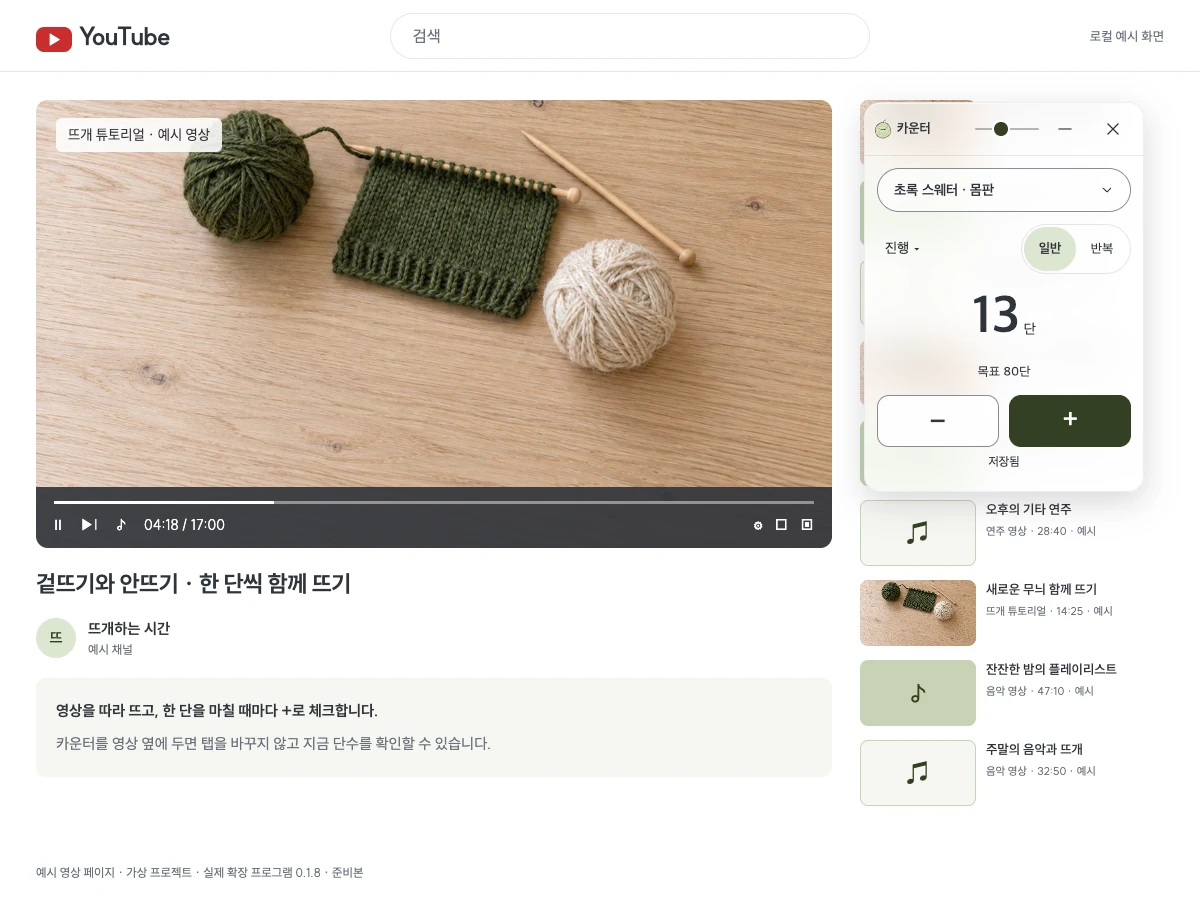
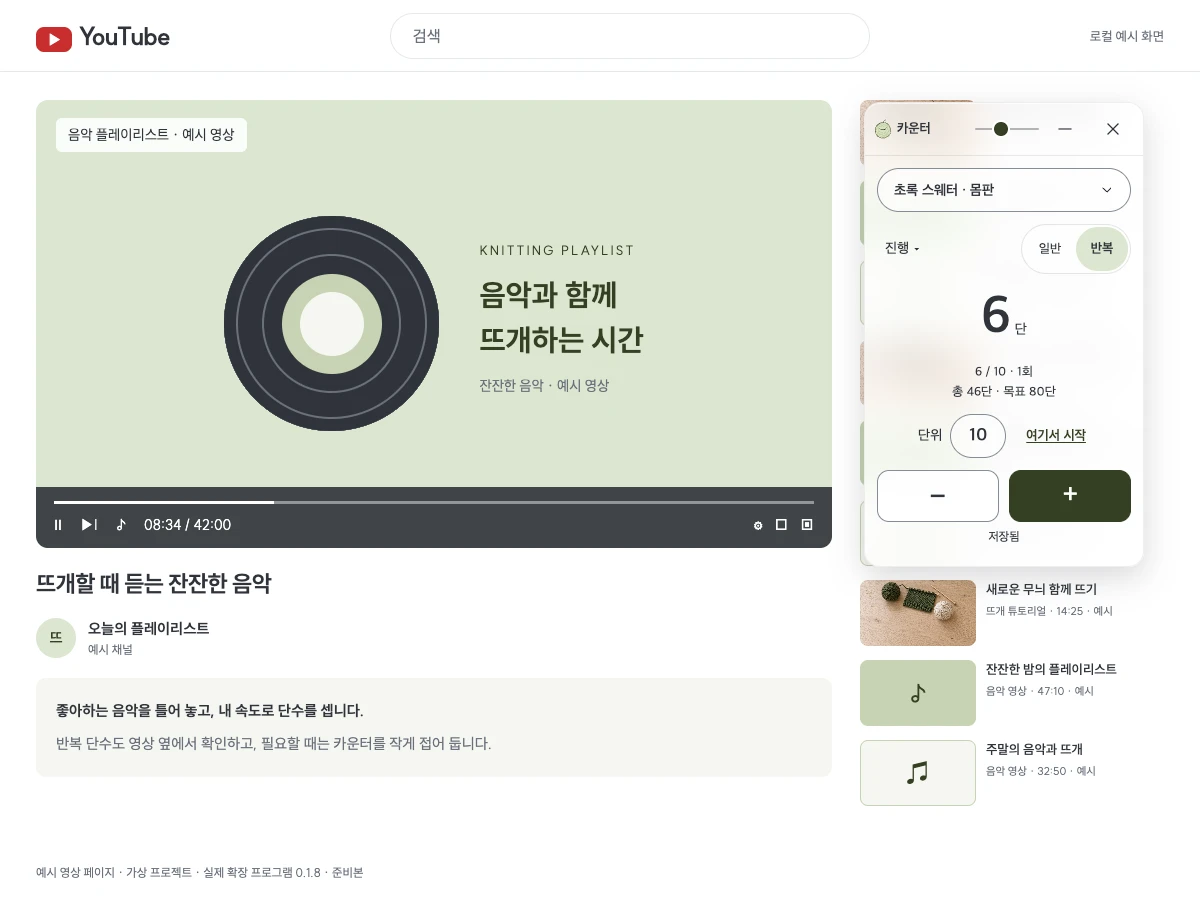
Follow a YouTube knitting tutorial and press + to check off each row as you finish it. You can also count beside the video while knitting along to your favorite songs or music videos.
Choose a project and part in progress. Drag the top bar to move the counter and the bottom-right corner to resize it. Adjust opacity with the slider at the top right. Click the number to enter a count directly, or use repeat mode to see which repeat and row you are on.
Fold the counter when you want more space for the video. It becomes a small ball of yarn showing your current row. Click it to open the counter again.
Q. Are there keyboard shortcuts?
The keyboard is handy when your hands are on the needles. Here are the keys for Mac and Windows.
| Action | Mac | Windows |
|---|---|---|
| Add a row | ⌥ Option + ⇧ Shift + ↑ | Alt + Shift + ↑ |
| Remove a row | ⌥ Option + ⇧ Shift + ↓ | Alt + Shift + ↓ |
| Fold or open | ⌥ Option + ⇧ Shift + K | Alt + Shift + K |
The popup shows the shortcuts Chrome actually registered. These default keys also work on ordinary web pages when unassigned, except in input fields and editable areas. If another extension or your operating system captures the keys, assign different ones at chrome://extensions/shortcuts.
Q. Does it match the rows I count on my phone?
Yes. Your taps are saved to ssuessueknits, so the app and web show the same number. Rows counted on your phone appear within about 20 seconds, or when you return to the tab.
If your connection drops briefly, your taps are kept and saved when you reconnect.
Q. Does it work in other browsers?
NAVER Whale installs it from the Chrome Web Store. In Microsoft Edge, first click Allow extensions from other stores on the store page. It does not work in Safari, Firefox or mobile browsers.
The counter cannot appear on restricted pages such as Chrome internal pages, the built-in PDF viewer or the Chrome Web Store.
Q. How do I get a new version?
When installed from the Chrome Web Store, Chrome updates it automatically as new versions become available.
Q. What permissions does it use, and is my data safe?
It uses your ssuessueknits sign-in in this browser and never asks for a separate password.
It runs on all sites to show the counter, but never reads or sends the content of the pages you visit. It exchanges only your projects and row counts with ssuessueknits.