The ssuessueknits app is officially out!

Track projects, count rows and view patterns more easily on your phone or tablet.

Android app info Download on the App Store
See details

What's New in ssuessueknits

Explore new features and learn how to keep your knitting moving.

A Chrome row counter beside your video

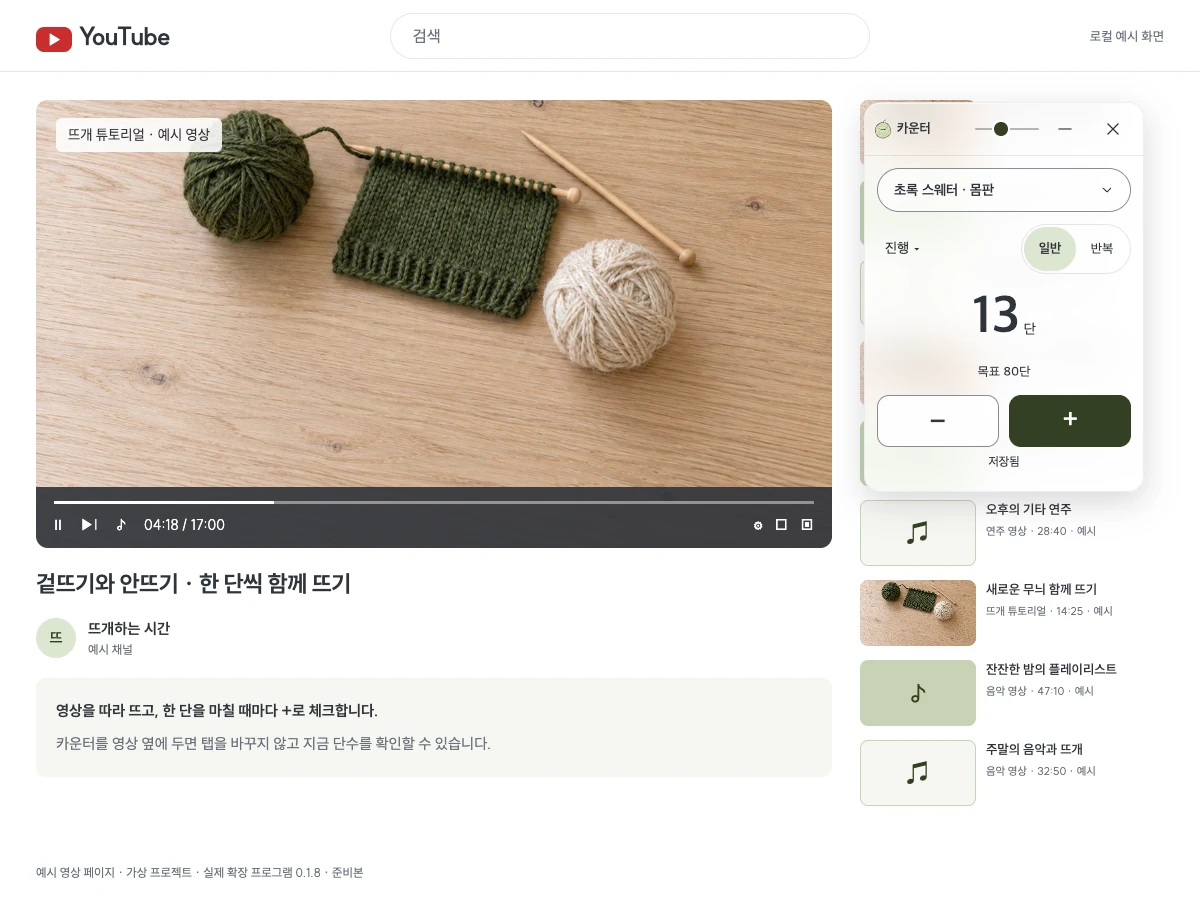
Count rows while watching videos on your computer, then continue in the app or on the web with the same account.

0.1.8 · Update pending

Chrome counter beside a sample video: working on row 13

How to use it

Install it from the Chrome Web Store and sign in in the same browser. Choose your project and part, then press + to check off each row.

Explore the Chrome counter

Choose the row you are on or the rows you have finished

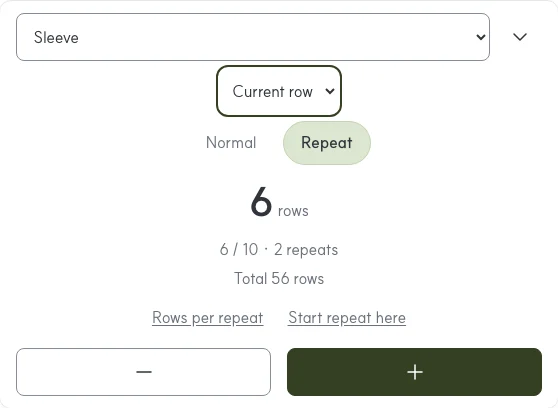
The web counter lets you choose working or completed rows. In repeat mode, the large number shows the row within the repeat using your chosen display.

Web PDF counter with the working and completed rows menu and row within a repeat

How to use it

Choose working or completed rows in the counter's display menu. Turn on repeats and set the repeat length to see which repeat and row you are on.

Count rows in your projects

Start checking your PDF right away

Tap a finished row in a web PDF pattern to save both a check line and the completed count. Chart fitting is available as a separate beta mode.

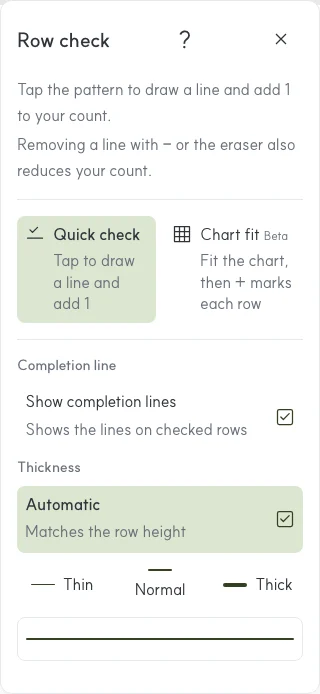
Web PDF row check showing the default Quick check and Chart fit beta modes

How to use it

Open a PDF in your projects and choose Row check. Tap a finished row using the default Quick check mode. Choose Chart fit (beta) when you want to align with a grid.
Open a PDF in your projects
Row counter
Timer00:00